We may need to whiten teeth of a photograph for both personal and commercial purpose. We can do it with simple Photoshop trick.
The tutorial will illustrate the technique in the following video as well as the step by step guideline with screenshots:
Follow the Steps to Whiten Teeth in Photoshop
Steps:
Open your image in Photoshop.
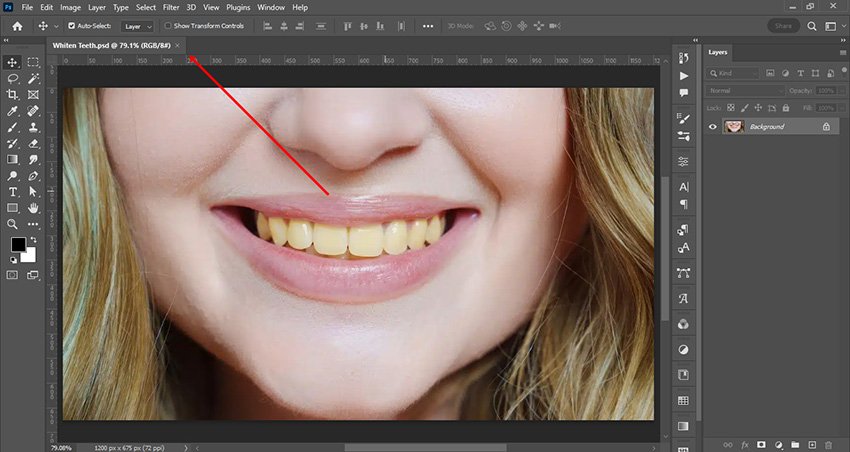
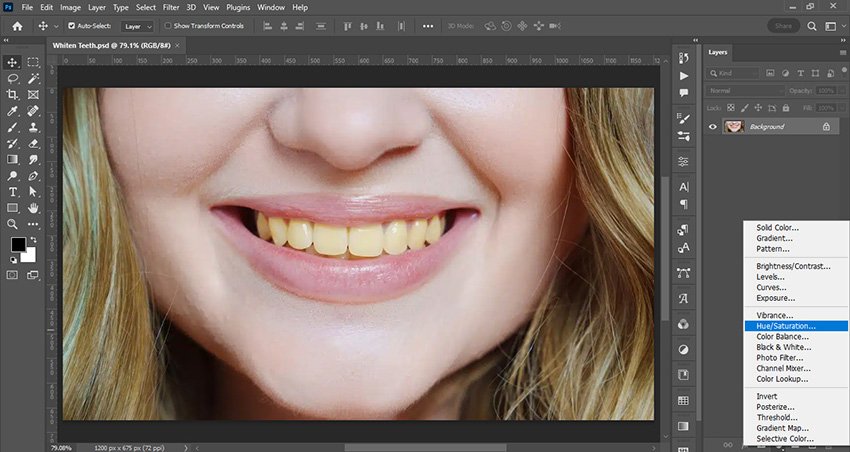
Add Hue/Saturation Adjustment Layer
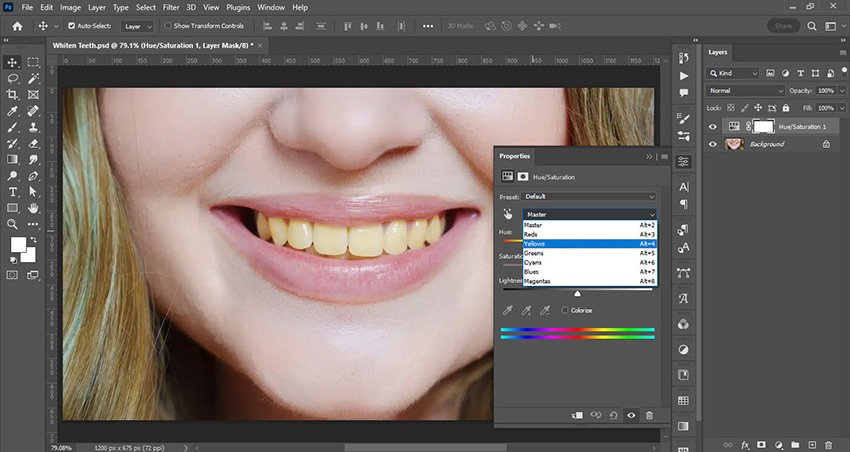
Select Yellow Color
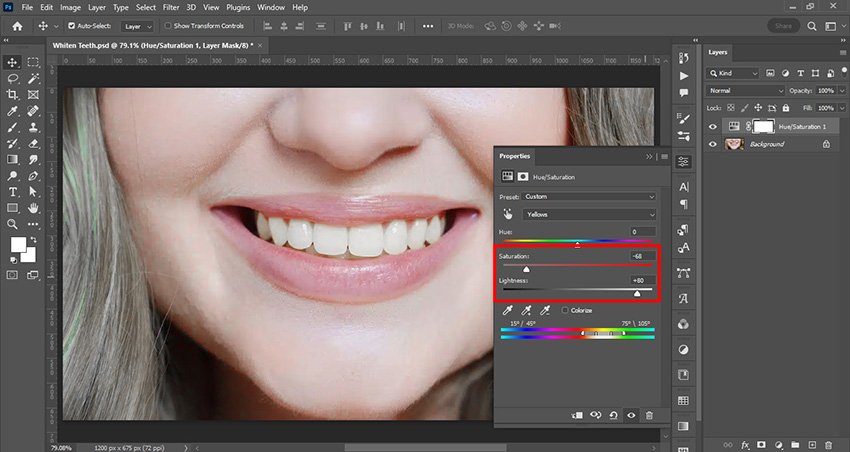
Adjust the Saturation and Lightness accordingly.
Now select the mask and press Ctrl+I to invert it.
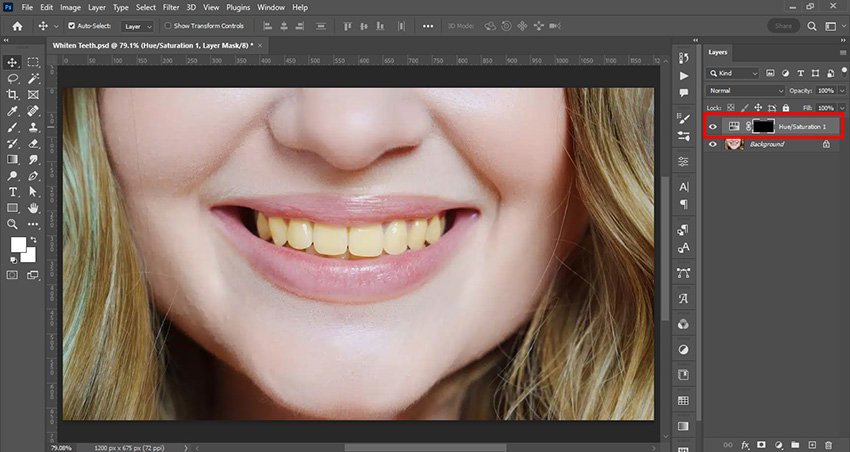
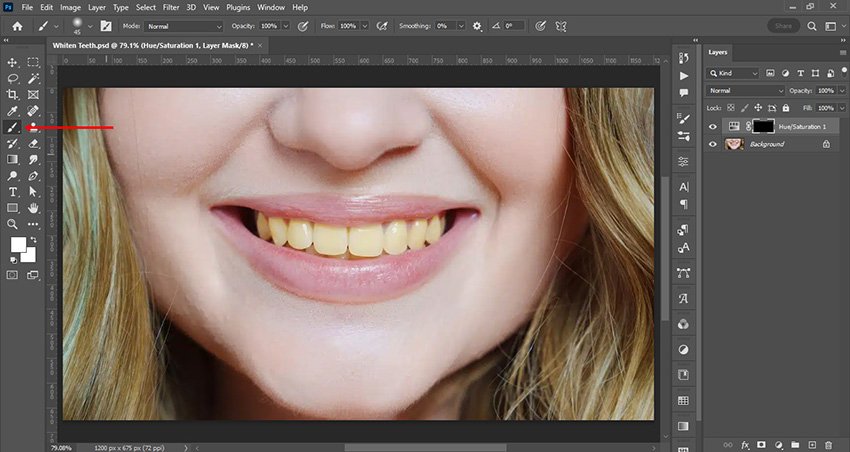
Select the Brush Tool
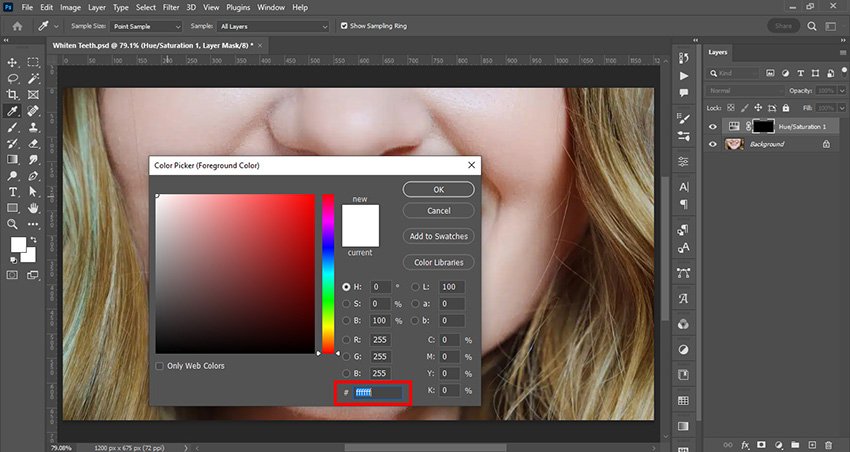
Set the foreground color to white
Select 'Soft Round Brush' and adjust brush size by pressing these '[',']' buttons.
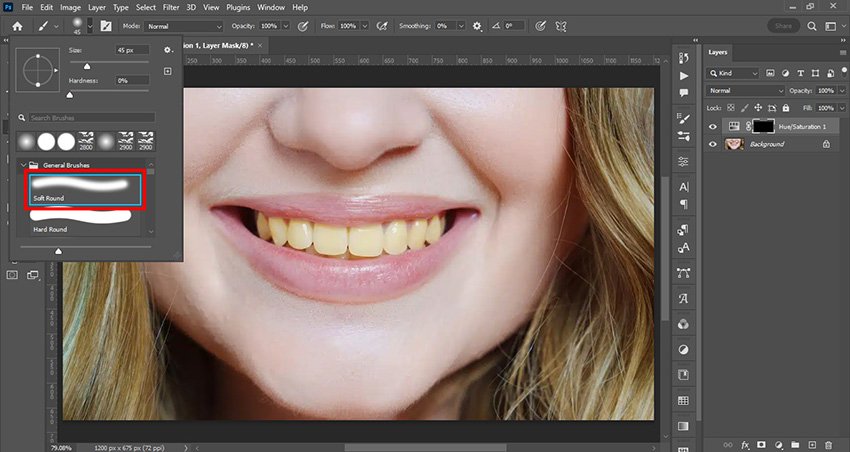
Apply the brush on the mask
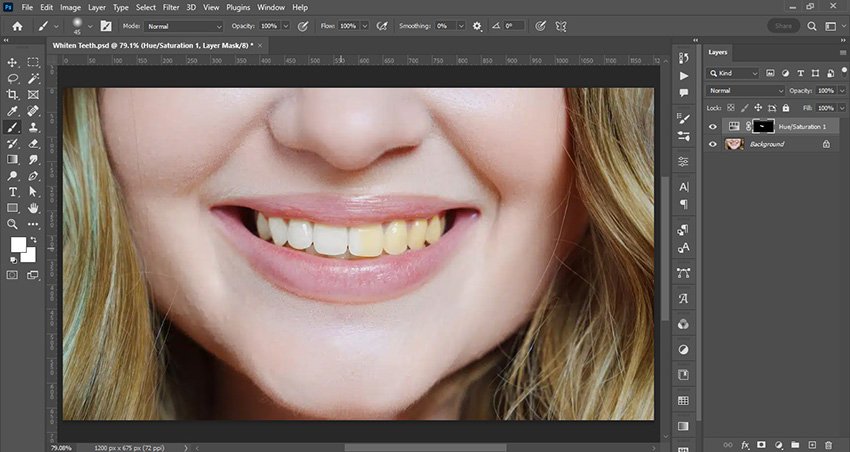
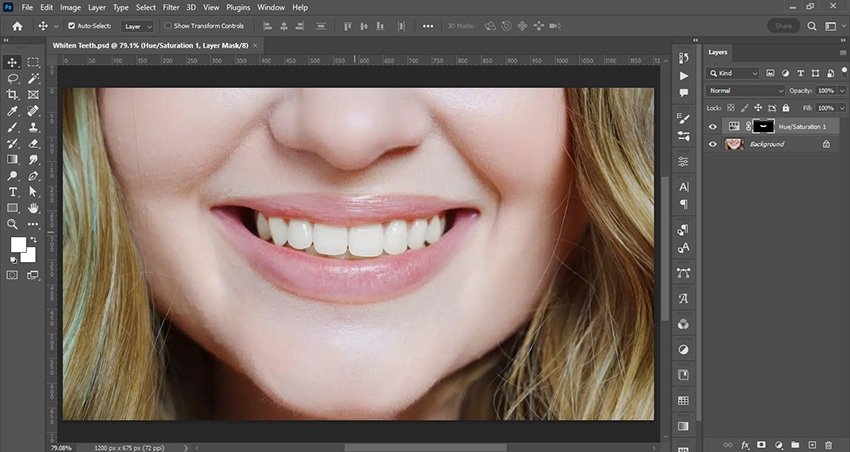
This is the final Image
Knowledge source: https://www.adobe.com/creativecloud/photography/discover/how-to-whiten-teeth.html
Also Explore:

Asha is working as a Creative Director at Clipping Mask Asia. She has completed her Graduation from the University of Dhaka inFilm and Television Studies. She has vast knowledge in Photography, Videography, Video Editing, 3D Modeling, Rendering and Animation. She loves to explore the creative world with her academic knowledge, experience and creative mind. She writes creative blogs on design, illustration and editing for renowned brands like Clipping Mask Asia.