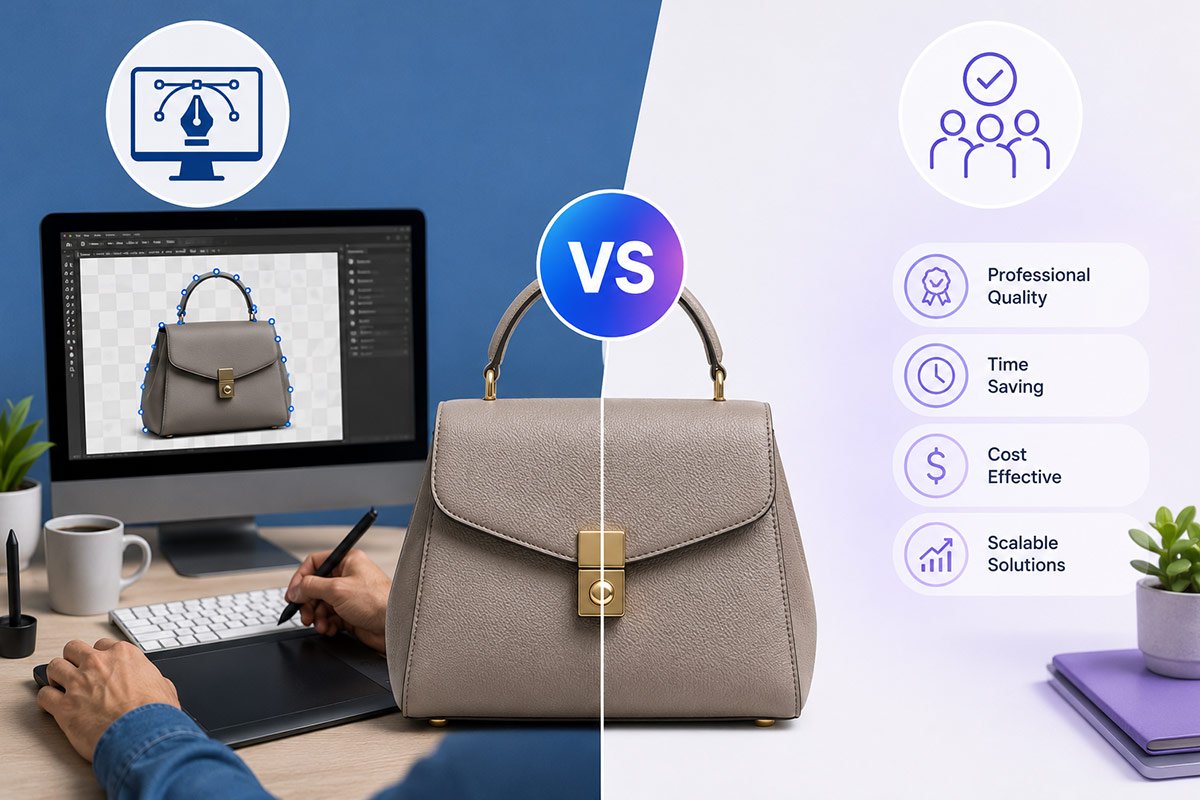
Having high-resolution product photographs is an essential element for creating clicks, converting customers, and fostering brand trust. Background removal gives businesses a way to create professional-quality product photos with clipping paths.
There are two ways to accomplish this—internally or externally. We'll cover both options in detail with clear explanations of their respective pros & cons.
What Is a Clipping Path and Why It Matters
A vector-based approach to differentiating between an object and its background using graphic design software, such as Photoshop. The primary method for this procedure is through the use of a Pen Tool as it produces the exact edge selection for clipping objects. Among other uses, clipping paths can be used for consistency of visual appearance through various platforms, such as:
- eCommerce product images (Amazon, Shopify, eBay)
- Catalogs and brochures
- Advertising and social media
Using a clipping path properly ensures your photographs look better, more polished, and increases their chances of converting into customers.
DIY Clipping Path: Hands-On Control with Trade-Offs
Clipping path is a DIY process, or done internally, to get all of the work done yourself. While this looks like a lot of cost savings, and flexibility there are a few other things to consider.
First of all, DIY allows you to have complete creative control of your images. You can make adjustments on every single curve, edge, and shadow until it is exactly what works with your brand. If a company focuses on detailed or customized products, then this level of flexibility can be a huge asset to them.
The real challenge with clipping is that it is a very tedious and time-consuming process—and one that requires a trained person to perform. Just one image can take several hours or longer to complete—because of the complexity involved in making any image perfect.
Benefits of DIY Clipping Path
- You have total creative control over your finished product (quality and appearance).
- You can make changes to an image instantly—without waiting on others to return revised images.
- You do not have to pay per image when you have someone else do this for you.
- Your original images are kept secure because they will never leave your office.
Limitations of DIY Clipping Path
- Creating bulk images is an extremely lengthy process.
- You need to have people on your staff who are trained or knowledgeable about programs such as Adobe Photoshop.
- There are additional hidden costs associated with designers.
- All of the new images you create will take a long time to complete without the ability to focus on the growth (or keep up with) of your business.
Outsourcing Clipping Path: Speed, Scale, and Consistency
Clipping path outsourcing is the process of hiring an outside company (specifically a professional image editor) to perform your background removal and photography editing tasks for you, instead of having to spend hours doing it yourself.
Many e-commerce companies and agencies that produce high volumes of items use clipping path outsourcing because it shifts their focus from production to growing the company. You lose some control of what happens to your images by giving those to a third party for processing; however, you gain efficiency and flexibility.
Key Benefits of Outsourcing Clipping Path
- Saves a lot of your time, allows you to focus on your 'core' business activities
- Consistency and quality from professionals
- Cost-effective with bulk pricing for high volumes
- Faster times even if you have hundreds of photos
Key Limitations of Outsourcing Clipping Path
- Minimal influence over editing processes; minimal direct involvement
- Quality of communications determines how well the job will get done
- Quality varies; there are wide variances between outsourcing vendors.
- Direct Comparison: DIY vs Outsourcing Clipping Path
If you want to know how the two options differ, comparing them side by side can also help clarify the difference.
Cost Structure:
• DIY – Greater long-term costs (staffing, tooling and time)
• Outsourcing – Lower per-image cost, especially volumetrically
Time Efficiency:
• DIY – Slower than outsourcing (particularly with large/complex jobs)
• Outsourcing – Fast and optimised workflows
Quality Consistency:
• DIY – Quality of work will vary by individual skill level
• Outsourcing – Generally high quality and consistency of work across an experienced team
Scalability:
• DIY – Limited by the size of your team
• Outsourcing – Can easily scale according to volume requirements
Control Level:
• DIY – Complete control
• Outsourcing – Moderately controlled with some adherence to guidelines
One trend demonstrated by comparison is that DIY provides more control, while outsourcing offers greater value for large projects.
Cost Perspective: What Businesses Often Overlook
When you originally look at DIY then the process seems much more affordable because you do not have to pay a third-party to execute the works required. However, when you examine the overall pricing of each option, they can differ significantly.
Factors impacting the cost to DIY include:
• Subscription services for software programs, such as Adobe Photoshop
• Paying staff/in-house or paying freelance to assist you
• Time spent training and onboarding employees
• Loss of productive time while editing images
Factors impacting the cost to outsource include:
• Cost per image to the service provider to perform your work
• Discounts for bulk ordering
• Adding-on additional services (retouching, creating shadows, colour-correcting)
For smaller workloads, DIY could be feasible; however, as your number of images increases, outsourcing typically provides greater cost savings.
When DIY Makes More Sense
In some cases, doing it yourself with clipping paths can be a good option, especially when you want as much control and flexibility as possible, but still need an image fairly and quickly.
You might want to think about the do-it-yourself (D.I.Y) approach if you fall into any of the following categories:
- You produce relatively few images regularly
- You have people on your staff with professional design skills
- You want to do frequent creative modifications to the image
- You have a process that requires you to have immediate access to image modifications
When Outsourcing Is the Better Option
When you're looking for efficiency and growth to be your top two priorities, outsourcing can be an even better option, as it will enable your company to grow without concentrating to the internal workload of your business.
Outsourcing is best if:
• You have a high volume of product images
• You have short deadlines for completion
• You want consistent and professional quality of work done
• You want to devote time to growing the business instead of completing edits.
As such, the vast majority of eCommerce businesses (e.g., Amazon sellers), agencies, and other types of businesses use outsourcing extensively. Clipping Mask Asia has been a trusted clipping path supplier for many of the world's renowned eCommerce brands.
The Hybrid Approach: A Balanced Strategy
Many successful companies do not choose one method over another; they utilize both in their everyday workflow.
A hybrid approach typically includes:
• Using a DIY method for creating high-priority or custom edits
• Using an outsourcing method for bulk processing and repetitive tasks
This creates a work structure that gives companies control of how they execute their edits and allows them to utilize the strengths of the two methods—speed and scalability.
Final Verdict: Which One Should You Choose?
Choosing between outsourcing and DIY methods for clipping paths will depend on what your main priorities are.
- Choose DIY if you want maximum control, flexibility, and hands-on editing.
- Choose outsourcing if you want speed, scalability, and cost-effectiveness.
Asha is working as a Creative Director at Clipping Mask Asia. She has completed her Graduation from the University of Dhaka inFilm and Television Studies. She has vast knowledge in Photography, Videography, Video Editing, 3D Modeling, Rendering and Animation. She loves to explore the creative world with her academic knowledge, experience and creative mind. She writes creative blogs on design, illustration and editing for renowned brands like Clipping Mask Asia.