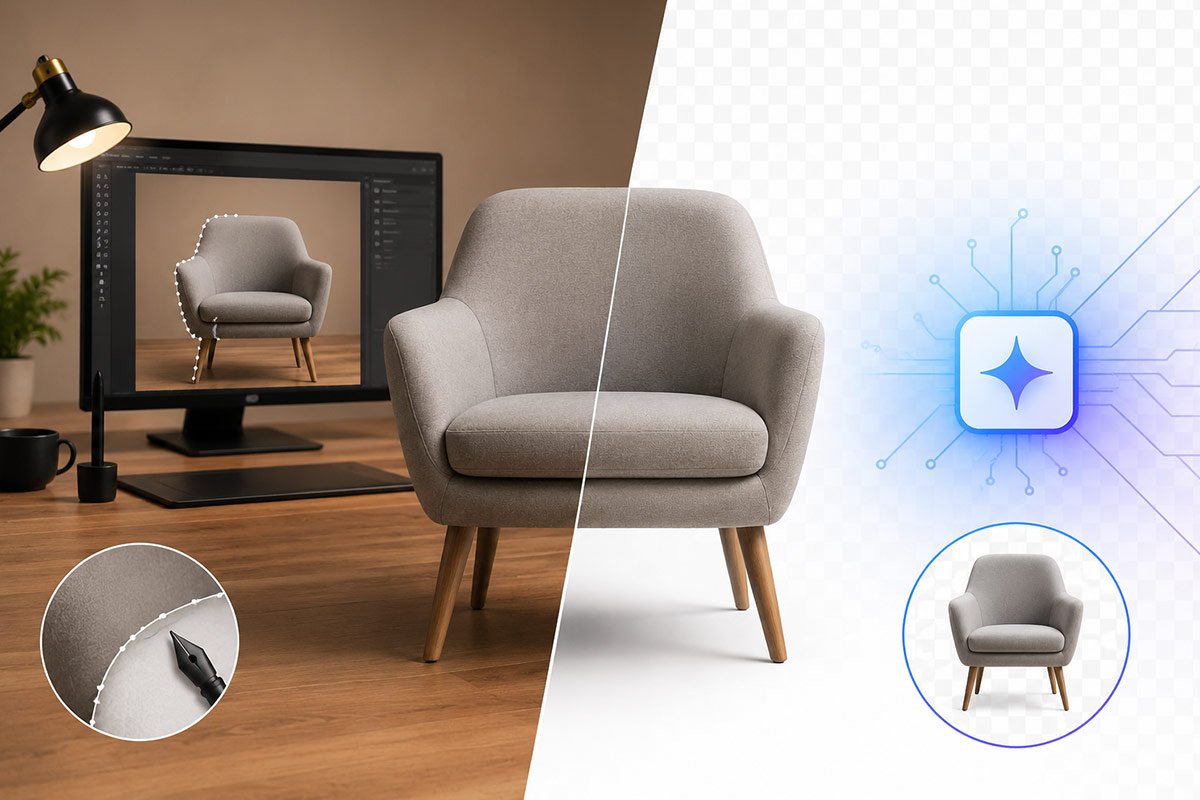
Cleaning up the background of your product photographs and creating images that look great and convert well is one of the most critical elements of today's e-commerce.
Automated versus manual removal of backgrounds will have a significant impact on the quality of your images and result in potential revenue for your e-commerce shop or marketing campaign.
This reference guide contains an overview of both automated and manual background removal processes, their similarities and differences, their pros and cons, as well as real-world examples of each method to help you determine which method is the best fit for your business.
What Is Background Removal?
By taking away the background of a subject, there is an isolation effect and the subject is brought to the foreground. This is sometimes called a 'background removal.' There are many reasons to remove a product's background. Some examples include:
- Creating an eCommerce product list (e.g., Amazon, Shopify, eBay)
- Designing marketing graphics (e.g., flyers, brochures)
- Designing catalogs
- Designing social media ads
- Posting retouched customer pictures
Manual Background Removal: Precision and Control
To manually erase a background, you need to use some basic photo editing software, such as Photoshop. The manual erase is accomplished by first removing the background behind the subject and then confirming that the rest of the subject focus is preserved.
Some of the tools available for use in the process of manually erasing a background include:
- The Pen Tool, used to build a clipping path
- Layer Masks
- Channel Masking
- Refining Edges
Each image will typically be processed individually, pixel-by-pixel, for an accurate outcome.
Advantages of Manual Background Removal
- Precise Image Borders and Cutting Accuracy
Manual image editing provides identical precise borders and cutting accuracies, such as hair and fur, as well as custom jewelry and other types of jewels or objects that may be visible in images. - Managed Complex Image Operations
All difficult-to-reproduce businesses (glass items), shadow & reflection-related images can be resolved. - Customizable Solutions
The editors are able to control shadows, colors, edge softness and more to achieve a natural appearance. - High Professional Quality
All images can be Printed in non-destructive method to attain high-quality result same as the original image
Disadvantages of Manual Removal of Image Background
- Time-consuming: Cost/risk associated with obtaining high end result, as the physical labor and editor involvement need more payment than any automated tool’s subscription.
- Requires an expert knowledge base for handling complex image shots.
Automated Background Removal: Speed and Efficiency
Automated background removal uses AI-powered tools and software to detect subjects and remove backgrounds instantly.
How It Works
An image is analyzed using AI algorithms, and the AI can find and identify edges, and separate the foreground from the background in a matter of seconds.
Popular Tools:
- RemoveBG
- Remove Background in Canva
Adobe Photoshop also utilises AI as a way to automate the removal of Backgrounds.
Advantages of Automated Background Removal
- Fast Processing
Processing images in seconds is ideal for large volumes of images. - Cost-Effective
Cost per image decreases, especially for large volumes. - Easy to Use
Does not require any advanced editing skills. - Scalable for Businesses
Ideal for small businesses and large eCommerce sites.
Disadvantages of Automated Background Removal
- Inconsistent edge quality
- Has difficulty with intricate details (hair, transparency)
- The final image is not fully in control of the editor.
- May need hand-touch to finish.
When Should You Use Manual Background Removal?
Manual editing is the better choice when:
- You have to have quality product photos. High-quality product photo editing is required.
- Your images have fine details (hair, fur, glass)
- Perfect edges and realistic shadows are desired.
- You are developing a branding or advertising campaign.
Industries that benefit most:
- Jewelry retouching
- Fashion photography
- The furniture and interior design are excellent.
- Luxury eCommerce
When Should You Use Automated Background Removal?
Automation works best when:
- You have large volumes of images
- The subject has a simple shape and clear contrast
- You need to have quick turnaround times.
- Limited budget
Common use cases:
- Uploading bulk items
- Social media materials
- Making marketplace listings
Best Strategy for Easy Image: A Hybrid Approach
- Professional workflows frequently utilize a combination of both methods.
- Use of artificial intelligence tools for initial background removal
- Local (e.g., personal) editing to finalize and provide quality control
This combination gives us a balance between:
• Speed
• Cost
• And quality
Many professional image isolation service providers use the hybrid solution as a generally accepted technique (often referred to as a production line approach).
SEO Benefits of High-Quality Background Removal
Using the standard method of removing backgrounds will greatly affect how images look. It will also greatly affect other areas of SEO, such as:
• Increase your CTR (Click Through Rate)
• Increase your UX (User Experience)
• Increase your conversion rates.
• Improve the quality of images for the Google search results.
• Increase product visibility when using search results.
Final Verdict: Which One Should You Choose?
There is no single right way to do it.
- If you need quality and precision, use manual background removal experts.
- If you are looking for the speed and scalability factor, use automated background removal.
- Use a combination of both methods to reap the benefits of both worlds.
Businesses seeking to grow without compromising quality can use AI in conjunction with human editing to achieve the best balance.

Asha is working as a Creative Director at Clipping Mask Asia. She has completed her Graduation from the University of Dhaka inFilm and Television Studies. She has vast knowledge in Photography, Videography, Video Editing, 3D Modeling, Rendering and Animation. She loves to explore the creative world with her academic knowledge, experience and creative mind. She writes creative blogs on design, illustration and editing for renowned brands like Clipping Mask Asia.